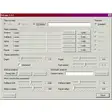
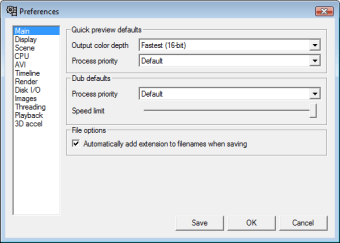
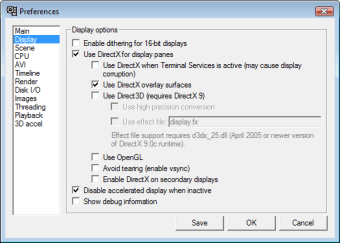
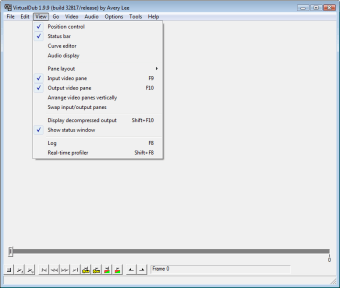
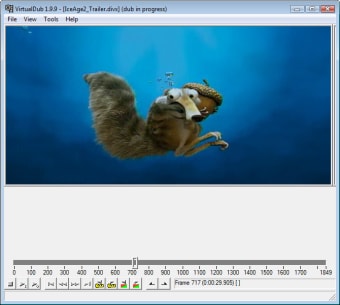
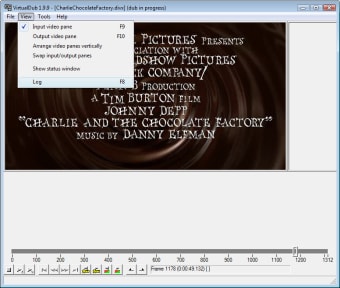
VirtualDub is a piece of software developed for the Windows operating system. Designed to capture and process video, it’s function as a general utility tool means it can trim and clean up video fast before exporting it to another program for processing. While it doesn’t have the ability to do the heavy lifting of more advanced programs, like Adobe Premiere, its purpose as quick editing tool means its both streamlined and easy to use for quick editing. For large numbers of files, it also has the ability to process batches which can also extend with third-party filters.
VirtualDub is a video capture and processing utility licensed under the GNU General Public License (GPL). It is designed to be a general utility that can trim and clean up video before exporting to tape or processing with another program. It does not possess the editing power of a general-purpose editor such as Adobe Premiere, but is streamlined for fast linear operations over video.
It has batch-processing capabilities for processing large numbers of files, which you can extend with third-party video filters. VirtualDub is best at processing AVI files, although it can read (not write) MPEG-1 and handle BMP image sets.
Join two videos. I just wanted to join 2 videos but found VD was not very user friendly. I had to Google to find instructions on how to do it. There is nothing in VDs menu about joining videos. One has to go through quite a song & dance to get it to do any joining. AgentWD40 Cons: Menu does not include "Joining" or "Join Videos"
Anonymous user
Virtualdub. Virtualdub have many options. When you take some time using it you realize it is a great video editing. You can capture, edit, apply filters... as you wish adn virtualDub can edit videos in AVI. Pros: Virtual Dub has a good handle on the hard disk and memory. You can let it run without having to be away from your computer Cons: Virtualdub could make a good tutorial.
Laws concerning the use of this software vary from country to country. We do not encourage or condone the use of this program if it is in violation of these laws. Softonic may receive a referral fee if you click or buy any of the products featured here.